Manchester District Library
  • Home
  • Blog
  • About the Library
    • Board of Trustees
      • Employment
        • Library Policies
          • Location and Hours
            • Friends of the Library
            • Using the Library
              • Borrowing and Fines
                • Claire Reck Local History Room
                  • Computers and WiFi
                    • Download Destination
                      • Library Cards and PINs
                      • Programs & Events
                        • Medieval Faire
                          • Calendar
                            • Park & Read
                              • Adult Groups and Programs
                                • Teen Groups and Programs
                                  • Youth Groups and Programs
                                  • Contact Us

                                  Getting a Card

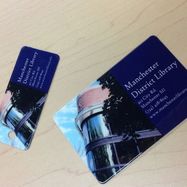
                                  Picture
                                  • Residents and property owners of the District Library area (Bridgewater Twp., Freedom Twp., Manchester Twp., and the Village of Manchester) can get a card at the library free of charge by bringing in a current driver's license. If you don't have a driver's license, call the library at 428-8045 to ask about other acceptable forms of ID.
                                  • Minors (under age 18) must be accompanied by a parent or legal guardian to sign up for a library card. The library recommends that children get their own cards when they are old enough to write their name.
                                  • Non-residents (this includes Sharon Twp. citizens) may purchase a card at rates set yearly by the library board. Non-residents with a card from another Michigan library may be able to use their existing card at MDL through reciprocal borrowing programs. Please ask staff for more information.
                                  • Not sure which Township you're in? Enter your address in the Washtenaw Co. Property Parcel Lookup database to find out.

                                  Your PIN Number
                                  • When you register for your library card, you will be asked to choose a PIN for your account. PIN stands for Personal Identification Number, and a 4-digit PIN used along with your library card number allows you to access your library account on-line, renew materials on-line or by automated phone system, access digital media and databases, and more. You'll also use your library card number and PIN to sign onto the library's public computers.
                                  • If you forget your PIN number, need to add one to your account, or want to update or change your PIN,  just speak to a library staff person.

                                  About Your Card
                                  • We require that members present their library card (or, in a pinch, valid photo ID) to check out materials. We do this primarily to preserve privacy and ensure accuracy. We're part of a 55+ library consortium, and with millions of users in the library database, scanning a barcode is infinitely safer than looking up a name. It's also quicker!
                                  • If you would like to give a spouse, child, or other family member permission to pick up hold materials for you, they will need to either present your card at the desk, or be listed on your account as an authorized pick-up person before we'll release anything to them. Talk to a staff person for assistance.
                                  • Lose or ruin your library card? You may purchase a new card for $1 at the circulation desk.


                                  Create a free website with Weebly